Webix 11.4 Released Read More New Features in Core, Kanban & Rich Text Editor, plus a Powerful SpreadSheet Update

JavaScript Hint Widget

Webix Hint is a widget for guiding users through your apps. Hint will help new users get familiar with complex UIs and figure out how to work with the app.

Overview

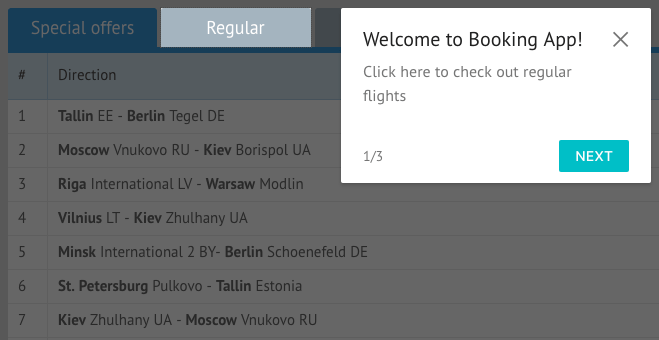
Webix Hint displays helper steps that focus on the key elements of your application one by one. Each step contains the description of the focused element and navigation buttons. The rest of the screen, apart from the element you want to show, is darkened. Users can move move along the guide via navigation buttons as well as by clicking focused elements or using keyboard.

Hint Key Features

Customise steps

Adapt Hint to your needs. You can set titles for each step, configure navigation buttons or remove them at all. You can also define how to proceed to the next step, by clicking on the highlighted area or by pressing the “Enter” key.

Add actions for steps

You can set additional actions that will be performed while moving to the next or previous step. For example, before focusing the Datatable pager you can select some item in it.

Hint – Part of Webix UI Library

Get a 30-day free trial to test Hint along with 100+ UI widgets, a common API, and a shared data layer for building data-driven web apps.

Hint – Part of Webix UI Library

Get a 30-day free trial to test Hint along with 100+ UI widgets, a common API, and a shared data layer for building data-driven web apps.

Other navigation widgets